 Please login to continue shopping

Built For Your Brand
At Workwear Outfitters, we know that every brand has a unique story to tell. That's why we offer a wide range of customization options designed to help companies showcase their identity while keeping their teams comfortable, safe, and stylish. From embroidery and screen printing, to patches and personalized finishing touches, our customization services transform high-quality workwear into a powerful expression of your brand. Whether outfitting a small team or a large workforce, we make it easy to create a consistent, professional look that leaves a lasting impression.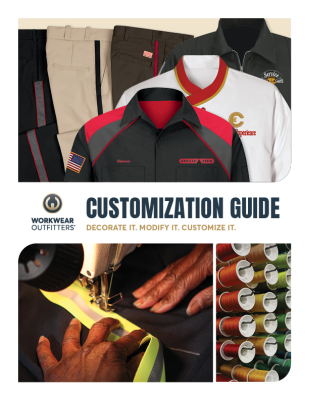
ABOUT CUSTOMIZATION
We believe customized apparel is more than just branding- its a learning opportunity. Our education resources are designed to guide you through the customization process, from choosing the right garments to understanding decoration techniques. Whether you're new to customization or looking to refine your program, we provide the tools, tips, and expertise you need to make informed decisions and create apparel that represents your brand with confidence.
ABOUT CUSTOMIZATION
We believe customized apparel is more than just branding — it's a learning opportunity. Our education resources are designed to guide you through the customization process, from choosing the right garments to understanding decoration techniques. Whether you're new to customization or looking to refine your program, we provide the tools, tips, and expertise you need to make informed decisions and create apparel that represents your brand with confidence.


RESOURCES & REFERENCES
Customized apparel is more than branding — it’s an opportunity to learn and elevate your program. Our resources guide you through every step, from selecting the right garments to understanding decoration techniques. Whether you're just starting out or refining your approach, we provide the tools and expertise to help you make confident, informed decisions and create apparel that truly represents your brand.


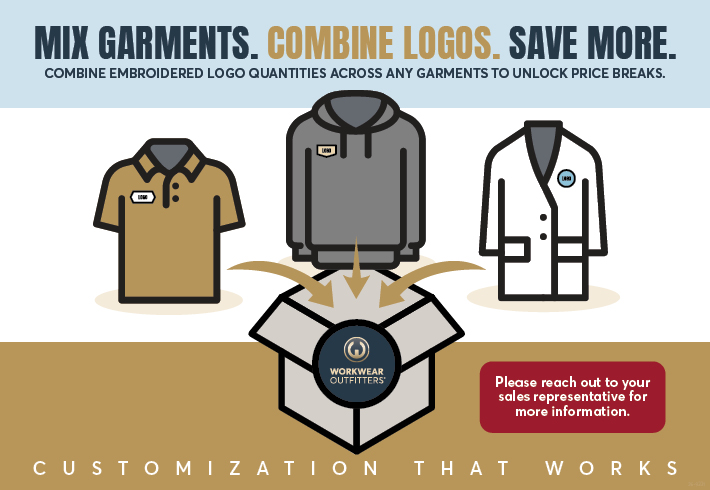
Simplified, Transparent Embroidery Pricing
Our embroidered logo pricing is based on total logo quantity—combined across any garments in your order. A clearer, more streamlined approach that makes planning easier, scales with your volume, and keeps costs predictable from start to finish.EMBROIDERY LOGO GUIDELINES
Creating a logo for embroidery requires different guidelines than designing for print or screen, primarily due to the physical limitations of thread and stitching. The key principle is simplicity and boldness to ensure the design translates well into stitches and is legible on fabric.
- Simplify Artwork: Remove intricate, fine details, drop shadows, glows, or subtle patterns that can get lost or turn into a muddled mess of threads. Bold shapes and clean lines work best.
- Limit Colors: Stick to a limited color palette, ideally no more than 6 solid colors for standard embroidery, to ensure clarity and minimize production errors or costs.
- Avoid Gradients: Gradients and color blending are very difficult to achieve with standard embroidery threads. Convert any gradients into solid color blocks.
- Choose Bold Fonts: Select simple, bold, sans-serif fonts like Arial or Helvetica. Avoid ornate, script, or distressed fonts, as small or thin letters often become unreadable.
- Digitizing: Your logo request may be adjusted to ensure the best possible outcome during the embroidery process.
- Minimum Text Height: Text should be at least 0.25 inches (6.35 mm) tall for optimal legibility.
- Minimum Line Thickness: All lines and design elements should be a minimum of 0.05 inches (1.27 mm) thick to prevent them from disappearing or looking uneven.
- Maintain Negative Space: Ensure sufficient spacing (at least 0.05 inches) between design elements to avoid them blending together during stitching.
- Consider Fabric Type: Thicker, stable fabrics like canvas, denim, and heavy cotton blends are ideal for embroidery. Stretchy or light fabrics like thin t-shirts may require specialized stabilizing techniques to prevent puckering.
- On the Product Page: Select colors, sizes, and quantities (steps 1 & 2). Under step 3, "Add a Logo," choose a placement from the dropdown.
- Upload Your Logo: If you're not logged in, you'll be prompted to log in or create an account. Upload your file, then click Apply to place it on your selected product.
- Preview Your Logo: For most apparel and outerwear, you'll see a live product preview. If preview isn't available, your logo will display on a white background.
- Finalize: Verify logo placement, add special instructions if needed, and click Add to Cart. Your cart saves items for 30 days (inventory not held until checkout).

Once digitized, your logo becomes "Approved" in My Logos and displays with details like dimensions and design code. If you've ordered before, your logos are saved in your account under My Logos — ready to apply without setup fees.

Our visualization tool shows your uploaded or approved logo on products. This gives you a clear idea of how your logo will look on different colors and placements. Final approval happens before embroidery.
THE PERSONALIZATION PROCESS
With Workwear Outfitters, you get more than embroidery — you get a streamlined process, professional results, and a team ready to help at every step.


WAYS TO CUSTOMIZE ON OUR SITE
You can add a new logo to your account:
- When placing an order: From any Product Detail Page, use the "Add a Logo" option during the order process.
Add customized products to your order from the Product Detail Page:
- Visualize: See how your logo looks on the product before ordering.
- New Logo Setup: Upload a new logo during the order process.
- Save Designs: Save your designs to reuse on other orders and products.
- Edit Existing Designs: Modify previously saved designs as needed.
Visualize your logo on any product before placing an order:
- Product Detail Page: Use the visualization tool directly on any product page to see your logo in context.
- Sell Sheet Generator: Create branded sell sheets featuring your logo on selected products for presentations and approvals.
Manage all your customizations from your account page:
- View all logos saved to your account
- See active and past customization orders
- Reuse approved logos on new orders
- Track the status of pending logo approvals


